
My projects
My Blog

Content Management System
Suitable for blogs or social network for groups. Includes an encrypted log in system. Members can post images, comments and files and 'like' posts.
- A Content Management System App based on a Bootstrap template.
- Completed: 2023
- Course: Udemy - PHP for beginners - Become a PHP Master - CMS Project - Edwin Diaz
- Languages: HTML, CSS, JavaScript, PHP and MySQL.
MyComm

Ecommerce site
An online shop with cart and checkout functionality. Can be linked to a paypal or other payment management account.
- Completed: 2023
- Course: Udemy - PHP for beginners: How to build an ECommerce store - Edwin Diaz
- Languages: HTML, CSS, JavaScript, PHP, MySQL, Built from a Bootstrap template
MyTunes

Spotify clone music player
A Spotify clone app. Has log in system. Users can upload songs and create custom playlists. Songs can be browsed and played by artist, album or search item.
- A spotify clone created from scratch.
- Completed: 2024
- Course: Udemy - Make a Spotify Clone from Scratch: Javascript PHP and MySQL - Reece Kenney
- Languages: HTML, CSS, JavaScript, PHP MySQL
MyTube

Video player - You Tube Clone
This is my current project and is still in development. It is a YouTube clone app.
- A YouTube clone created from scratch.
- Completed: 2024
- Course: Udemy - Make a YouTube Clone from Scratch: Javascript PHP and MySQL - Reece Kenney
- Languages: HTML, CSS, JavaScript, PHP MySQL
- This app is not currently available to view as content included in the app is not supported by my internet hosting service. I am trying to find a solution to enable this app to be available on-line.
MyNet

Social Network
This is my most recently completed project. It is a Social media app.
- A Social Network App created from scratch.
- Completed: 2024
- Course: Udemy - Build a Social Network from Scratch: JavaScript, PHP and MySql - Reece Kenney
- Languages: HTML, CSS, JavaScript, PHP MySQL
My other projects
Owzthat

Cricket dice game
Owzthat was a dice game I enjoyed playing as a child. This project replicates the game with a single player playing against the computer. This project which was a submitted Portfolio Project for a Code Institute full-stack development course. I built this app before learning about flexbox and grids in CSS. It relies heavily on Bootstrap. I may re-visit this project as there is much scope for improvement.
- Completed: 2021
- Course: Submitted course work project for coding institute course.
- Languages: HTML, CSS, JavaScript, PHP MySQL
Simon

Memory game
Simon was a battery powered game popular in the 1980s. The console flashes one of it,s four light panels and plays a sound in sequence. The user has to repeat the sequence. The sequence length increases with each turn. My record is 22. Can you beat it?
- Completed: 2020
- Course: Udemy - The Complete Full-Stack Web Development Bootcamp - Dr Angela Yu
- Languages: HTML, CSS, JavaScript
Quote Generator

Random quote generator
Quotes are obtained from an API at Jacinto Design and displayed to user. User selects New quote button to display a new quote. Displayed quote can be shared in a Twitter message by selecting the Twitter button.
- Completed: 2024
- Course: Udemy - JavaScript Web Projects: 20 Projects to build your portfolio - Andrei Neagoie/Jacinto Wong
- Languages: HTML, CSS, JavaScript
Joke Teller

Random joke generator
The page requests a random joke from the JokeAPI web-site. The joke is supplied in text form. Another API from the VoiceRSS web-site enables the use of a text-to-speech app which converts the text to audio (voice). In this way when the user clicks the "Tell a Joke" button, the joke is told
- Completed: 2024
- Course: Udemy - JavaScript Web Projects: 20 Projects to build your portfolio - Andrei Neagoie/Jacinto Wong
- Languages: HTML, CSS, JavaScript
Dark Light Mode

App which toggles style themes
The Dark light mode page features a switch which toggle the colour schemes of the page from and to light and dark modes. Backgrounds, titles, navigation items, buttons and illustrations are all flipped from light to dark and dark to light.
- Completed: 2024
- Course: Udemy - JavaScript Web Projects: 20 Projects to build your portfolio - Andrei Neagoie/Jacinto Wong
- Languages: HTML, CSS, JavaScript
Picture in Picture

Displays image
The Picture In Picture page creates an inset window which plays video in the active window. The Picture in Picture inset window is always on top until such time as the user closes the window.
- Completed: 2024
- Course: Udemy - JavaScript Web Projects: 20 Projects to build your portfolio - Andrei Neagoie/Jacinto Wong
- Languages: HTML, CSS, JavaScript
Drum Kit
Drum Kit game
A set of drums which can be played with mouse or keyboard
- Completed: 2020
- Course: Udemy - The Complete Full-Stack Web Development Bootcamp - Dr Angela Yu
- Languages: HTML, CSS, JavaScript
Animated template

Animated page
The Animated Template project includes elements on a page that animate into view as the user scrolls down with a variety of CSS effects.
- Completed: 2024
- Course: Udemy - JavaScript Web Projects: 20 Projects to build your portfolio - Andrei Neagoie/Jacinto Wong
- Languages: HTML, CSS, JavaScript
Navigation Nation
Multi-coloured animated navigation menu
The Navigation Nation page features a navigation menu with hamburger icon. When clicked a grey overlay animates in with a drop down menu bar. Navigation bar menu item and target sections are colour co-ordinated. CSS variacles are used to assign background colours to menu items and sections. Opaque overlay and drop-down menu animate out when menu item is selected.
- Completed: 2024
- Course: Udemy - JavaScript Web Projects: 20 Projects to build your portfolio - Andrei Neagoie/Jacinto Wong
- Languages: HTML, CSS, JavaScript
Music Player

Music player
A music player with play, next and previous tracks and selectable progress bar functionality.
- Completed: 2024
- Course: Udemy - JavaScript Web Projects: 20 Projects to build your portfolio - Andrei Neagoie/Jacinto Wong
- Languages: HTML, CSS, JavaScript
Video Player

Video Player
A video player with play and pause functions. A playback bar allows going to position in playback. It includes volume and mute controls. There is also an options menu to select the playback rateand a fullscreen control
- Completed: 2024
- Course: Udemy - JavaScript Web Projects: 20 Projects to build your portfolio - Andrei Neagoie/Jacinto Wong
- Languages: HTML, CSS, JavaScript
Custom Countdown

Timer
A countdown timer which displays time in days, hours, minutes and seconds to date set by user. The countdown date set by the user is saved in local storage. It can be retrieved when user returns to the page. It will be maintained in local storage until reset by the user.
- Completed: 2024
- Course: Udemy - JavaScript Web Projects: 20 Projects to build your portfolio - Andrei Neagoie/Jacinto Wong
- Languages: HTML, CSS, JavaScript
Bookkeeper
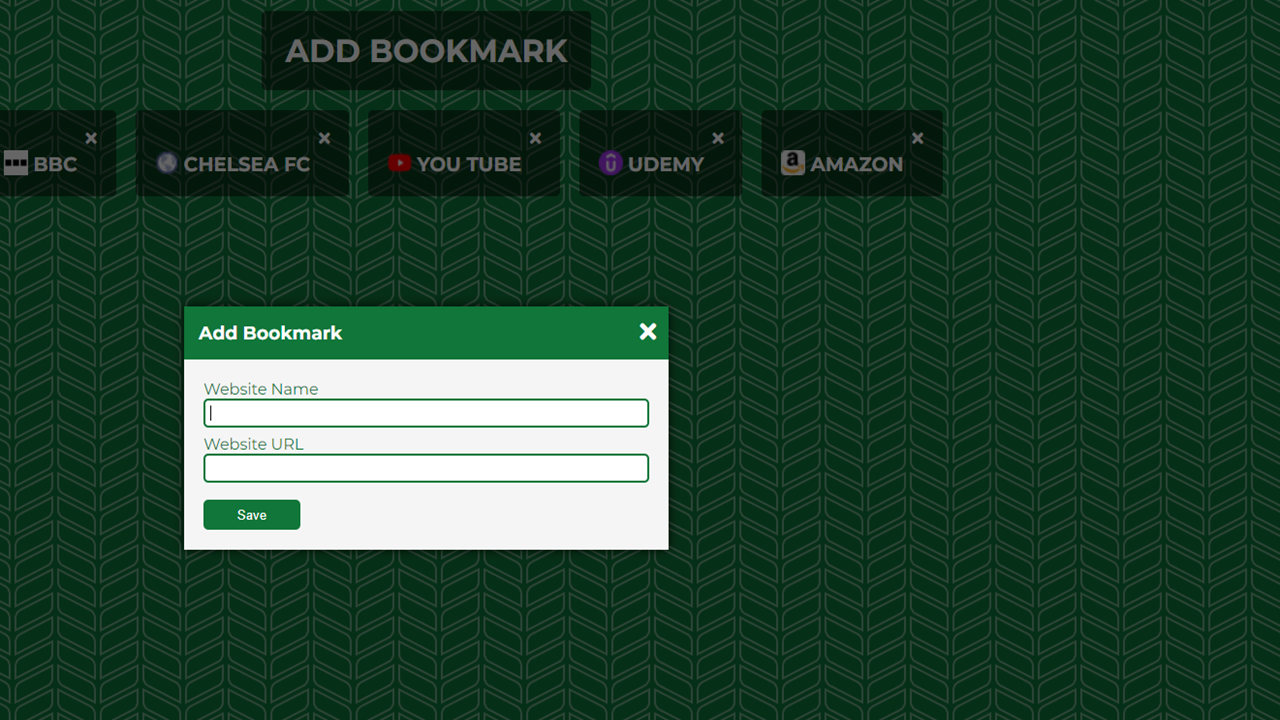
Book marking app
An application allowing the user to create and save frequently used bookmark
- Completed: 2024
- Course: Udemy - JavaScript Web Projects: 20 Projects to build your portfolio - Andrei Neagoie/Jacinto Wong
- Languages: HTML, CSS, JavaScript
Form Validator

Validating tool
The form visible to the user includes HTML and Javascript features so that when form input fields are completed they are checked to ensure valid formats have been input.
-
<
- Completed: 2024
- Course: Udemy - JavaScript Web Projects: 20 Projects to build your portfolio - Andrei Neagoie/Jacinto Wong
- Languages: HTML, CSS, JavaScript
SpockRock

Rock, Paper, stone, Lizard and Spock game
The Rock, Paper, Scissors, Lizard, Spock game is based on the traditional Rock, Paper, Scissors game. It is just extended to five choices. The advantage of five choices is it provideds a greater chance of win/lose outcomes and less draws. This is a one player versus the computer game.
- Completed: 2024
- Course: Udemy - JavaScript Web Projects: 20 Projects to build your portfolio - Andrei Neagoie/Jacinto Wong
- Languages: HTML, CSS, JavaScript
NASA APOD

NASA Astronomy Photo of the Day
The NASA APOD app displays a set of 10 random images from NASA's Astronomy Picture Of The Day (APOD) library. Users can select images to view in larger size windows. Images can be saved by the user to be stored in local storage to be retrieved at a later time. The user can toggle between the favourites page and APOD page.
- Completed: 2024
- Course: Udemy - JavaScript Web Projects: 20 Projects to build your portfolio - Andrei Neagoie/Jacinto Wong
- Languages: HTML, CSS, JavaScript
Pong

Pong arcade game
A version of the original arcade game pong.
- Completed: 2024
- Course: Udemy - JavaScript Web Projects: 20 Projects to build your portfolio - Andrei Neagoie/Jacinto Wong
- Languages: HTML, CSS, JavaScript
Maths Sprint

Maths skill game
The Maths Sprint is a maths game which presents maths equations to the user and challenges the user to answer whether the equation is right or wrong. There are four levels the user can select. These are based on the number of equations in the round. The user can select either 10, 25, 50 or 99 equations. Each round is timed and the aim of the game is to answer as many equations correctly in the quickest time. There is a 0.5 second penalty for each equation which is answered incorrectly. The penalties are added to the round time at the end of the game.The best score is saved to local storage and saved to the level selection button.
- Completed: 2024
- Course: Udemy - JavaScript Web Projects: 20 Projects to build your portfolio - Andrei Neagoie/Jacinto Wong
- Languages: HTML, CSS, JavaScript
Drag 'n' Drop

Kanban board with drag and drop feature
The output of the Drag n Drop Project is a Kanban board used as a tool for project or task management. The Kanban board is made up of four columns - To Do, In Progress, Complete and On Hold. As projects or tasks are identified they can be added to the board as items. As the item progresses it can be moved from one column to another to represent that progress.
- Completed: 2024
- Course: Udemy - JavaScript Web Projects: 20 Projects to build your portfolio - Andrei Neagoie/Jacinto Wong
- Languages: HTML, CSS, JavaScript